> ## Documentation Index
> Fetch the complete documentation index at: https://docs.scribe.commure.com/llms.txt
> Use this file to discover all available pages before exploring further.
# Patient History & Previous Encounters
> Link a new recording to a returning patient's previous visits instead of creating a duplicate record.
To keep a patient's visits linked together instead of creating separate records, the key is choosing the right option when starting a recording.
Click **New Patient** and enter the patient's name.
Select that patient's name from the dropdown list instead of creating a new patient entry.
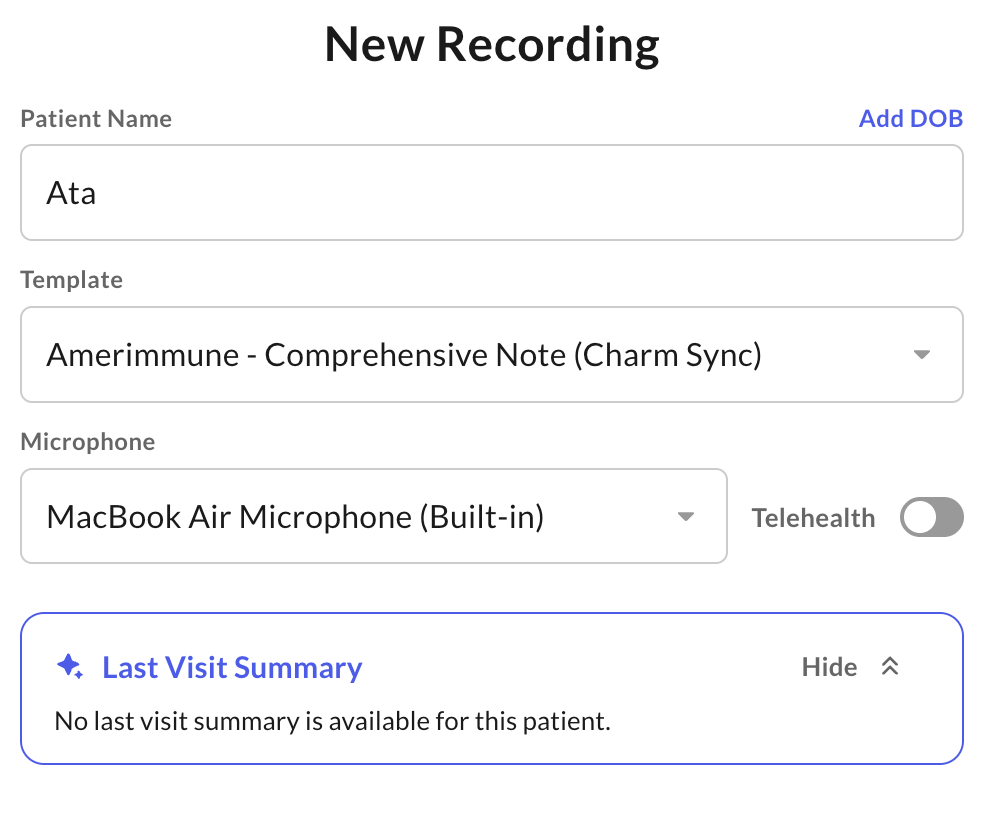 Selecting the existing patient associates the new encounter with their record.
The **Saved Patients** view only shows a summary of the patient's most recent visit — it doesn't feed that history into note generation. Each recording is processed as a standalone encounter, so details from previous visits aren't automatically carried into a new note.
Selecting the existing patient associates the new encounter with their record.
The **Saved Patients** view only shows a summary of the patient's most recent visit — it doesn't feed that history into note generation. Each recording is processed as a standalone encounter, so details from previous visits aren't automatically carried into a new note.